The Load Board is one of the tools Landstar business capacity owners use to evaluate available freight and decide what fits their businesses.
Review where freight picks up, where it delivers, the equipment required, mileage, timing and current load information before deciding what fits your operation.
This page brings Load Board search, filters, Load Alerts, mobile access and freight-planning tools together in one place.
Freight availability, rates, lanes, load details and technology features change. Owner-operators remain responsible for evaluating whether available freight fits their equipment, operating costs, schedule and business plan.
For an owner-operator leased to Landstar, the Load Board is a secured freight-search and planning tool. It allows eligible users to review available Landstar freight and narrow what they see according to criteria relevant to their operation.
Non-forced dispatch does not mean every available load is automatically a good load for your business. The owner-operator still evaluates pickup, destination, loaded and deadhead miles, equipment, timing, rate information and where the truck may be positioned next.
The Load Board provides information. The owner-operator makes the business decision.
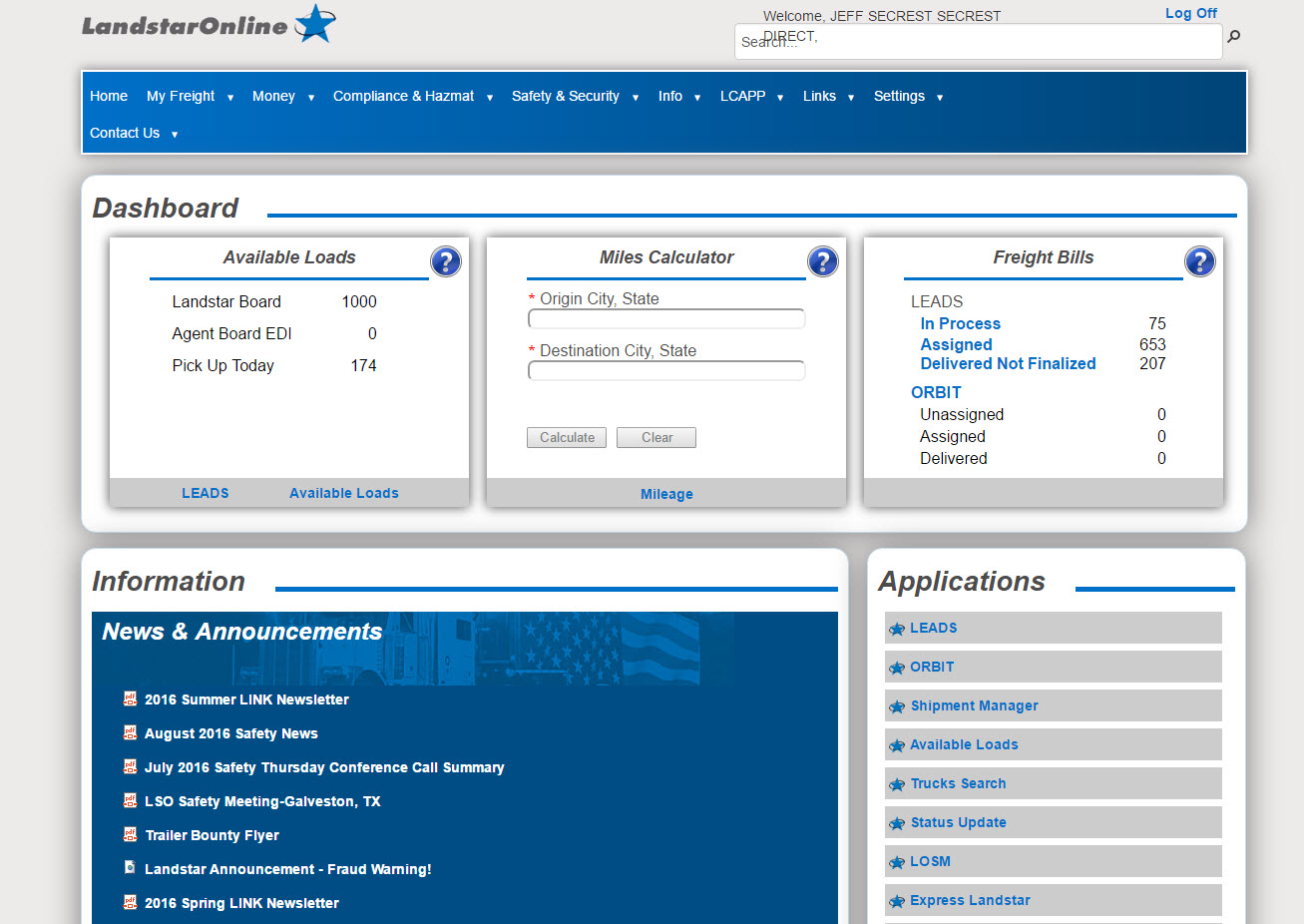
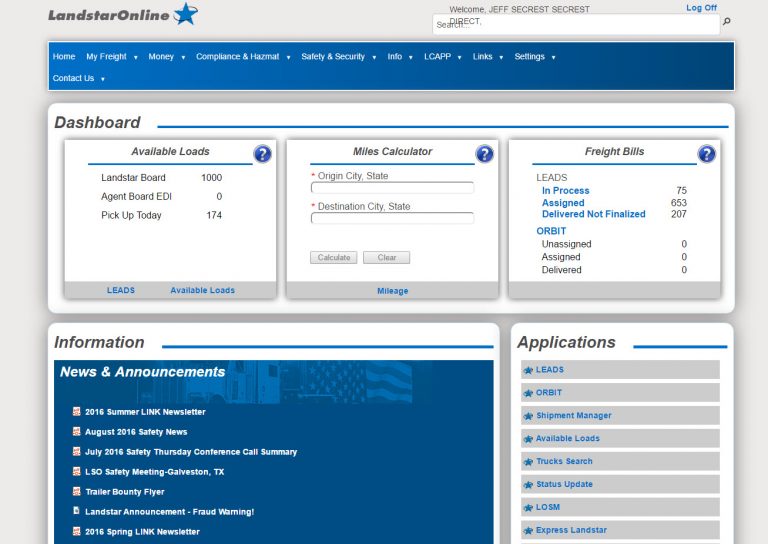
Example LandstarOnline dashboard shown for general context. Current tools, available freight data and account access may vary.
The Load Board Supports the Business Model
Freight Choice Starts With Knowing What Is Available
Under a non-forced-dispatch model, the owner-operator evaluates available freight rather than simply receiving an assigned load. More choice also means more business decisions.
Revenue
Does the current load information make sense for the complete trip?
Destination
Where does the load leave the truck and what market comes next?
Deadhead
How far must the truck move before or after the loaded miles?
Equipment
Does the freight fit the tractor, trailer and operating setup?
Timing
Do pickup, delivery and handling requirements fit the plan?
The goal is not simply to find a load. It is to evaluate available freight in the context of your business.
Search Filters Turn a Large Load Board Into a Working Freight List
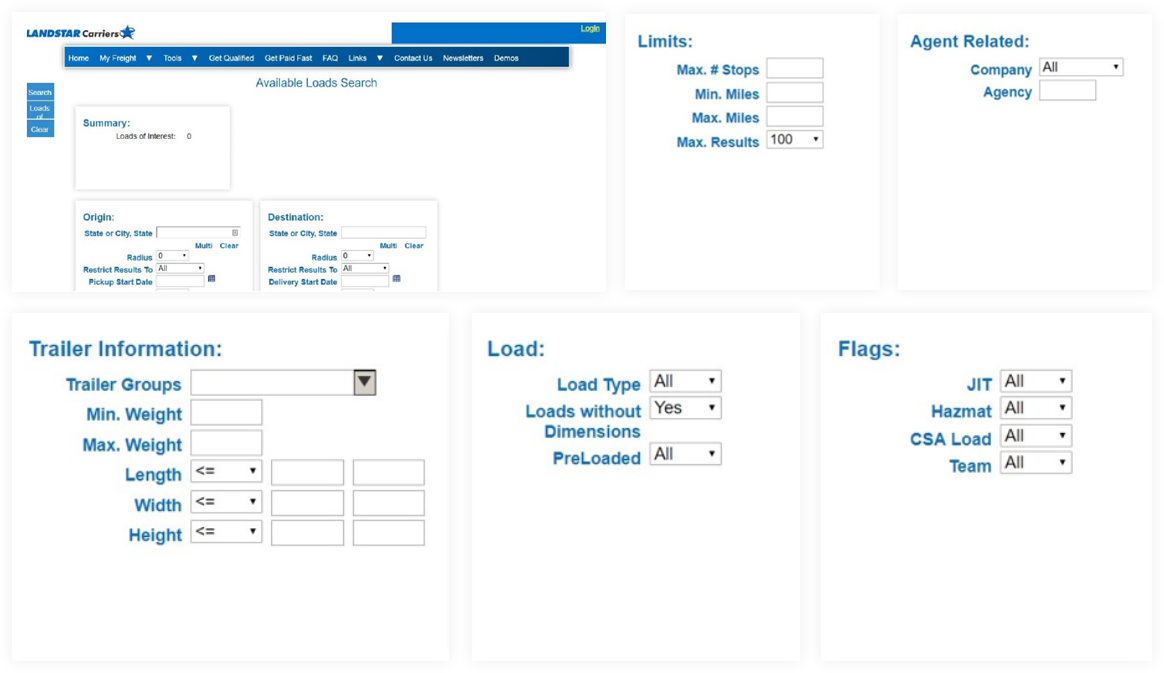
A useful freight search reduces the amount of irrelevant information an owner-operator has to review. Current interfaces can change, but the core business questions stay similar.
Use rate information as one input—not the entire decision. The complete trip still includes deadhead, timing, equipment requirements, operating cost and destination.
Origin
Where is the truck available?
Radius
How far will you reposition for pickup?
Destination
Where do you want the truck to finish?
Pickup & Delivery
Do the dates and windows fit?
Loaded Miles
What trip length fits the plan?
Stops
Are there additional pickup or delivery points?
Equipment
What trailer or equipment is required?
Weight & Dimensions
Does the freight fit equipment limits?
Rate Information
What does the current load record show?
Search With the Next Move in Mind
A Better Load Search Looks Beyond Pickup and Delivery
Use the Load Board as part of a repeatable decision process rather than treating every search result as a stand-alone opportunity.
1
Establish Your Starting Position
Know where the truck will actually be available—not simply the city associated with the last delivery.
2
Set the Freight Criteria
Choose destination, radius, equipment, mileage and timing criteria that matter for this search.
3
Review the Results
Compare the freight that currently matches those criteria.
4
Open the Load Details
A search result is only a starting point. Review the full available information before making a decision.
5
Consider the Next Market
Think about where the load ends and what that destination may mean for the next freight search.
6
Confirm Before Committing
Current requirements, timing, rates and load details should be verified through the appropriate process.
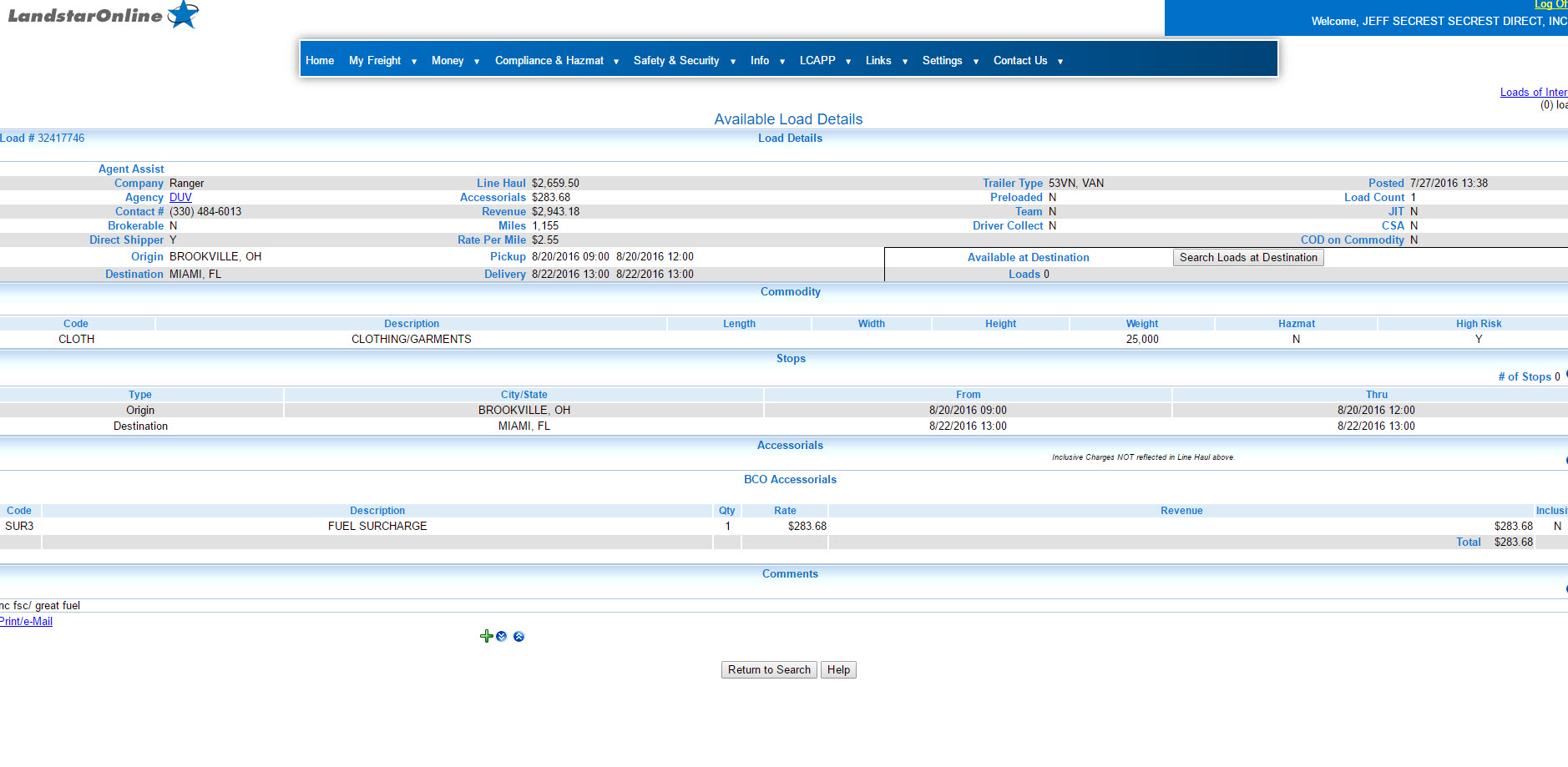
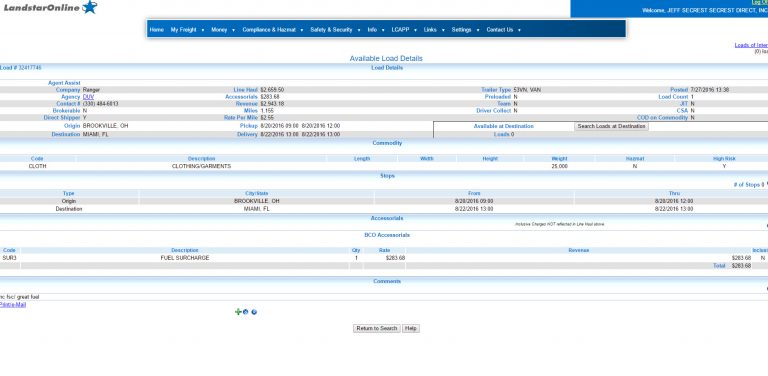
Existing load-detail reference from the current site. Verify current public-use imagery before launch.
OPEN THE LOAD BEFORE YOU EVALUATE IT
What Information Should You Review on a Load?
Origin & Destination
Where freight begins and where the truck finishes.
Pickup & Delivery
Dates, times and scheduling requirements.
Miles
Loaded mileage or other mileage information shown.
Rate Information
Current compensation-related information associated with the freight.
Equipment
Trailer, dimensions, weight or other operating requirements.
Stops
Additional pickup, delivery or handling locations.
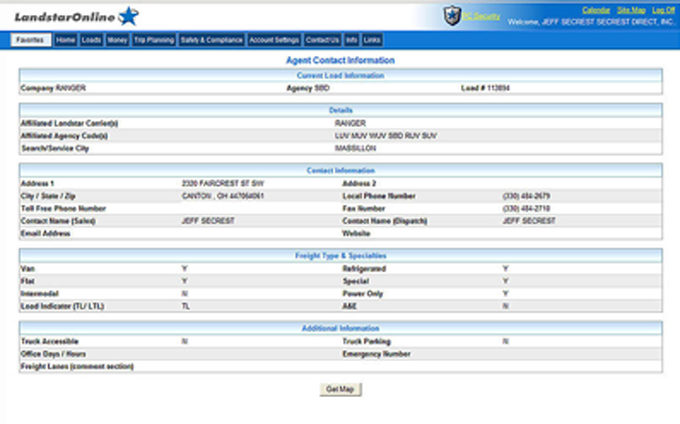
Agency Contact
Information for the Landstar agency associated with the freight when provided.
Load-Specific Notes
Other requirements that may affect whether the load fits.
A search result can look very different after you account for deadhead, timing, equipment, operating costs and the next market.
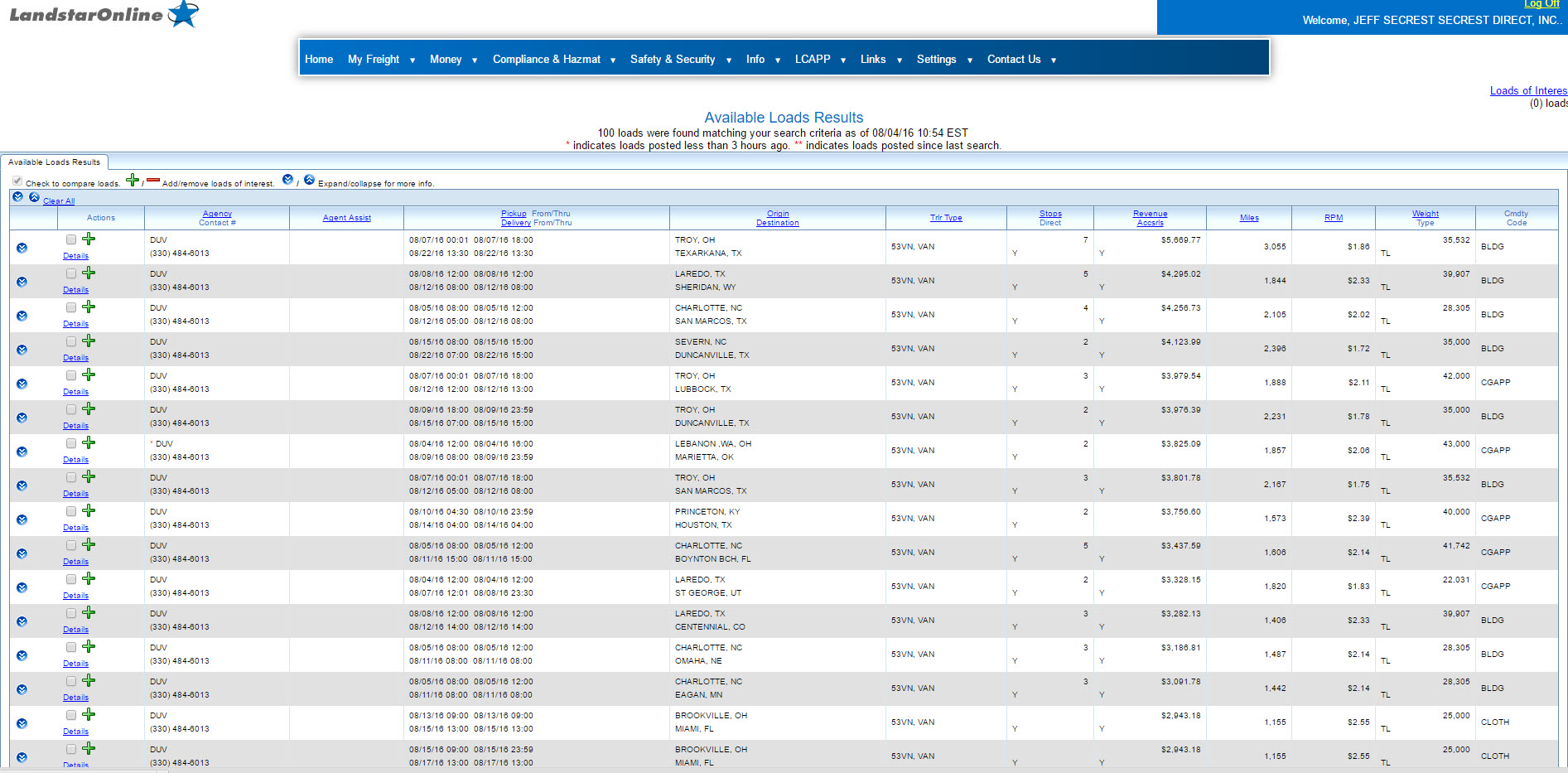
Search-results visual reused as a staging reference.
LET SAVED CRITERIA KEEP WORKING
Load Alerts Can Support the Next Freight Search
Repeatedly rebuilding the same search is not always the most efficient way to monitor freight. Load Alerts can help surface freight matching selected criteria when opportunities appear.
1
Define the Search
Start with criteria that reflect what you’re actually willing and equipped to haul.
2
Save the Criteria
Create a reusable starting point for freight you review regularly.
3
Set Notification Preferences
Use the current notification options available to eligible users.
4
Review the Match
An alert is a reason to review the freight—not an automatic reason to accept it.
5
Reevaluate as the Truck Moves
Useful criteria can change with markets, equipment and operating priorities.
A saved search or Load Alert does not guarantee that matching freight will become available.
ONE SEARCH DOESN'T HAVE TO FIT EVERY SITUATION
Build Searches Around Different Business Decisions
Each saved-search pattern should answer a different planning question instead of trying to cover every possibility at once.
SCENARIO 01
Preferred Market Search
Freight that fits the lanes or destinations you normally evaluate.
SCENARIO 02
Return-Market Search
Freight that may help position the truck toward an area you want to return to.
SCENARIO 03
Equipment-Specific Search
Freight that fits the trailer or specialized equipment currently being operated.
SCENARIO 04
Alternative-Market Search
A broader option when a preferred market is not producing an acceptable opportunity.
FREIGHT INFORMATION AWAY FROM THE DESKTOP
Use LandstarOne for Mobile Load Search and Business Tools
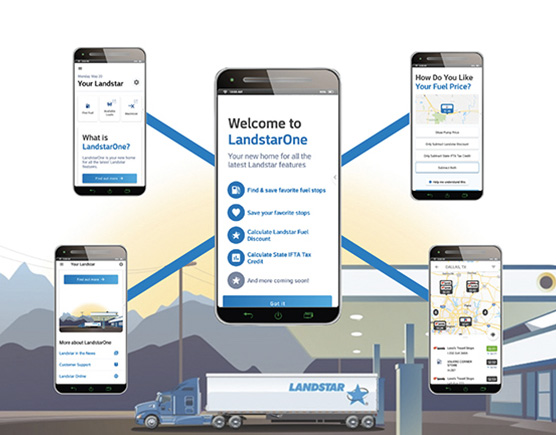
Current Landstar mobile information identifies LandstarOne® as a one-stop business app for eligible capacity providers. Mobile access matters because freight decisions do not always happen while you are sitting in front of a computer.
Load Search
Review available freight and search criteria from a mobile device.
Load Details
Open more information before deciding what to pursue.
Load Alerts
Manage current notification preferences associated with freight searches.
Business Tools
Bring other Landstar business resources into the mobile environment.
What about Landstar Maximizer®?
Older NonForcedDispatch.com pages focused heavily on Maximizer. This hub preserves the related multi-leg planning intent while consolidating app content in one authoritative location. Confirm current terminology and interface assets before launch.
ONE LOAD CAN AFFECT THE NEXT
Think Beyond a Single Load
Freight planning becomes more useful when each movement is considered as part of a sequence instead of an isolated rate.
LOAD A
Start With the Current Move
Where to begin, what does the trip require, and where does the truck finish?
→
LOAD B
Look at What Could Follow
What freight can fit the truck after delivery? Where can I pick up the next load?
→
REPOSITIONING
Account for the Empty Miles
How much non-revenue movement may exist between the next pick up?
→
BUSINESS RESULT
Check Timing and Cost
Do the sequence, schedule, maintainance, and operating costs make sense together?
SEE THE INFORMATION IN CONTEXT
A Look at Load Search, Results and Details
The current site already contains several useful Load Board visuals. These are carried into the mockup as staging references and should be updated if newer approved interface images are available.
Load Board Dashboard
Search and navigation starting point.
Available Load Results
Review freight matching the selected criteria.
Available Load Details
Move from a result row into the full load record.
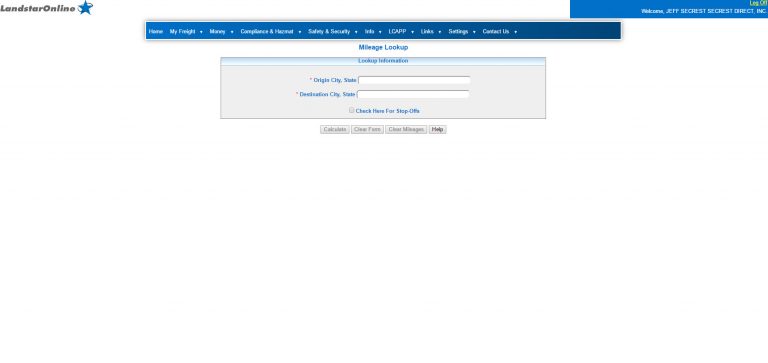
Mileage Lookup
Use mileage information as part of trip planning.
THE RESULT IS MORE THAN A RATE
Don't Evaluate Freight From One Number
Rate-per-mile information can help compare freight. It still does not tell the entire story.
Load A — Higher Headline Rate
More deadhead to pickup
Destination may require repositioning
Additional trip requirements
Higher operating cost can change the result
Load B — Different Trip Economics
Closer pickup
Destination aligns better with next market
Lower estimated trip expense
May fit the operating plan more effectively
The Load Board helps you find freight. Your business numbers help you decide whether the freight fits.
Reading about freight-search tools is useful. Seeing how the information is organized can make the business model easier to understand.
A demonstration is educational. It is not a promise about how much freight will be available in a future market or what any individual owner-operator will earn.
How searches begin and criteria narrow the results.
Filters
How location, mileage, equipment and timing affect what appears.
Load Details
Where to look before committing the truck.
Load Alerts
How saved criteria and notifications support planning.
Mobile Access
How current mobile tools support freight search away from a desktop.
Multi-Load Planning
How technology may help evaluate more than one movement at a time.
Better Questions for Freight Planning
Owner-Operator Load Board FAQs
These questions are intentionally different from the old Load Board FAQ archive and focus on decision-making rather than repeating definitions already answered above.
The NonForcedDispatch.com archive contains references to several generations of Landstar mobile technology. The rebuilt hub uses LandstarOne terminology for current mobile access while preserving relevant multi-leg planning information associated with related tools such as Landstar Maximizer.
Start with the truck’s actual location, pickup radius and destination, then evaluate mileage and equipment requirements. The search criteria can help you evaluate deadhead before making a decision, but no filter can eliminate it.
Open the available load details and review more than the headline rate. Look at pickup and delivery requirements, mileage, equipment, stops, timing, destination and other load-specific information, then compare the trip against your operating costs and business plan.
No. A Load Alert monitors for freight matching selected criteria when opportunities are available. It does not guarantee a particular load, lane, rate, freight volume, mileage or business result.
Ask to see how freight searches are built, which filters are available, how results lead into full load details, how saved searches and Load Alerts work, how mobile access is handled and how the available information can support the next business decision.
BUILD THE COMPLETE BUSINESS PICTURE
The Load Board Is One Part of the Decision
Owner-Operator Pay & Earnings
Understand percentage compensation, operating costs and how freight decisions connect to the business result.