
Secrest Direct Inc. is an independent Landstar agent (DUV/RKY).
| Questions? 877-441-9128 | Contact | Application Login |
Find and evaluate dry van loads based on where the truck is now, where the freight is going and how the complete trip fits the business.
Review equipment fit, pickup and delivery timing, loaded and deadhead miles, estimated trip costs and the next market before making a decision.
Secrest Direct Inc. is an independent Landstar agent that helps owner-operators understand current information, requirements and possible next steps.
Freight availability, rates, lanes, trailer options and program details can change. No load, mileage, revenue, home-time schedule or business result is guaranteed.
●●●
Existing page visual — verify current interface
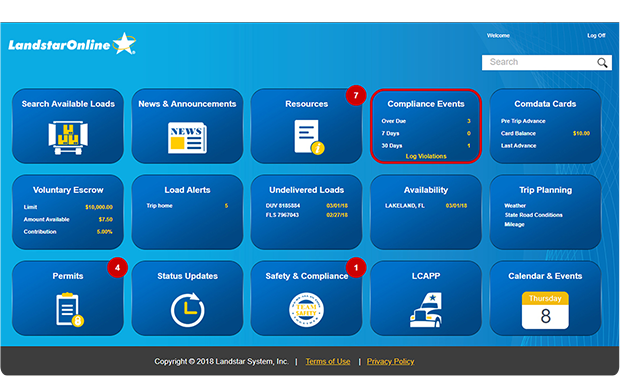
The strongest load decision is usually based on how the entire trip fits the business—not simply the gross amount associated with one load.
The current Dry Van Available Loads page includes a Load Board overview video and explains that owner-operators can search freight using criteria such as origin, destination, rate-per-mile, trailer type, weight and revenue.
Use the video as an introduction to the process. A practical load decision still requires comparing the freight with the truck, schedule, deadhead, trip costs and the market after delivery.
The existing Dry Van page highlights route planning, mobile access and saved-search alerts. This updated layout keeps those user-focused topics while adding clearer qualifiers around current feature availability.
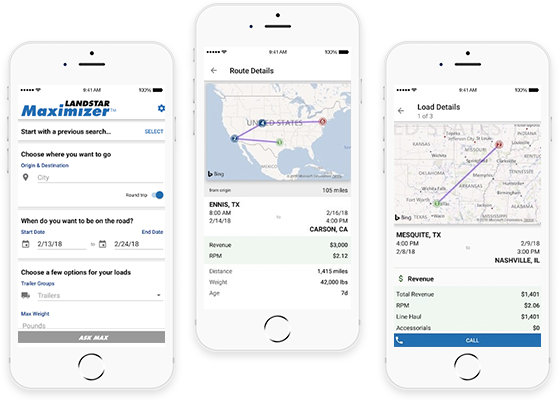
The current Dry Van page explains that owner-operators can use load-board information to review possible freight and plan future routes before the truck is empty.
Use route details to compare timing, destination, deadhead and how the next trip may fit the operating schedule. Planning ahead may support better decisions, but it does not guarantee that a particular load or route will remain available.
The existing page states that owner-operators can access load-board information through a mobile application as well as the online version. It describes using the app to search and book loads while away from a desktop.
The live copy also describes multi-leg run planning based on search criteria and says the app has been available for Android and iOS devices.
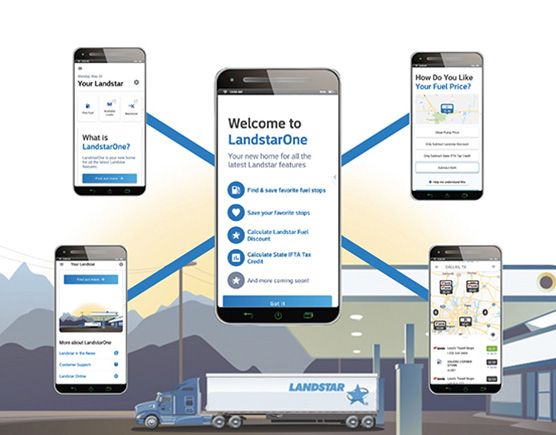

The existing page explains that a saved search can be used to match specific load criteria and generate alerts when related freight appears.
Its current copy references email or call notifications and a “Follow Me” feature intended to help surface outbound loads near an operator’s location.
These answers focus on freight evaluation and digital tools. Qualification and opportunity questions are addressed on the related Dry Van pages
No. This page explains how to evaluate dry van freight information. It does not display live loads, reserve freight or guarantee that a particular load will be available.
Review deadhead, loaded miles, fuel, tolls, timing, handling requirements, trailer fit, delivery location and the likely next freight market.
The current live page describes mobile access to load-board information and load searching. Current app availability, supported devices and specific features should be confirmed on the main Load Board page.
The live page describes saving search criteria and receiving alerts when related freight appears. Current notification methods and location-aware features should be confirmed before relying on them.
No. Commodity, weight, loading method, trailer specifications and facility requirements may affect compatibility.
Trailer arrangements and equipment options can vary. Review the Dry Van Lease Options page and confirm current requirements and terms.
Deadhead adds mileage, time and operating cost before or after the loaded portion of a trip. Include it in the complete route evaluation.
Use the main Load Board page for verified information about the current interface, filters, alerts, mobile access and related features.
Review the operating model, business considerations and current information for owner-operators evaluating the Dry Van path.
Review current information about tractor, trailer and equipment paths before making an equipment decision.
Review current qualification categories and documentation considerations before beginning the formal process.
Secrest Direct can help you locate current dry van opportunity, equipment, requirements and application-process information.
Owner-operators who lease their equipment to Landstar operate as independent contractors and run their own businesses. Secrest Direct supports applicants as an independent Landstar agent.
Submitting an information request or application does not guarantee qualification, freight availability, approval, earnings or business results.